About this free AI tool
TKCORE AI lists this as a free tool in the directory: overview, use cases, a short tutorial, and FAQs—plus links to related tools and blog guides.
Paragraph Expander on TKCORE AI is a specialized AI tool page built for content teams, founders, bloggers, SEO operators, and solo creators. Instead of starting from a blank chat box, you work inside a focused tool page with model selection, structured guidance, editable output, and direct internal links to related writing, image, music, and speech workflows.
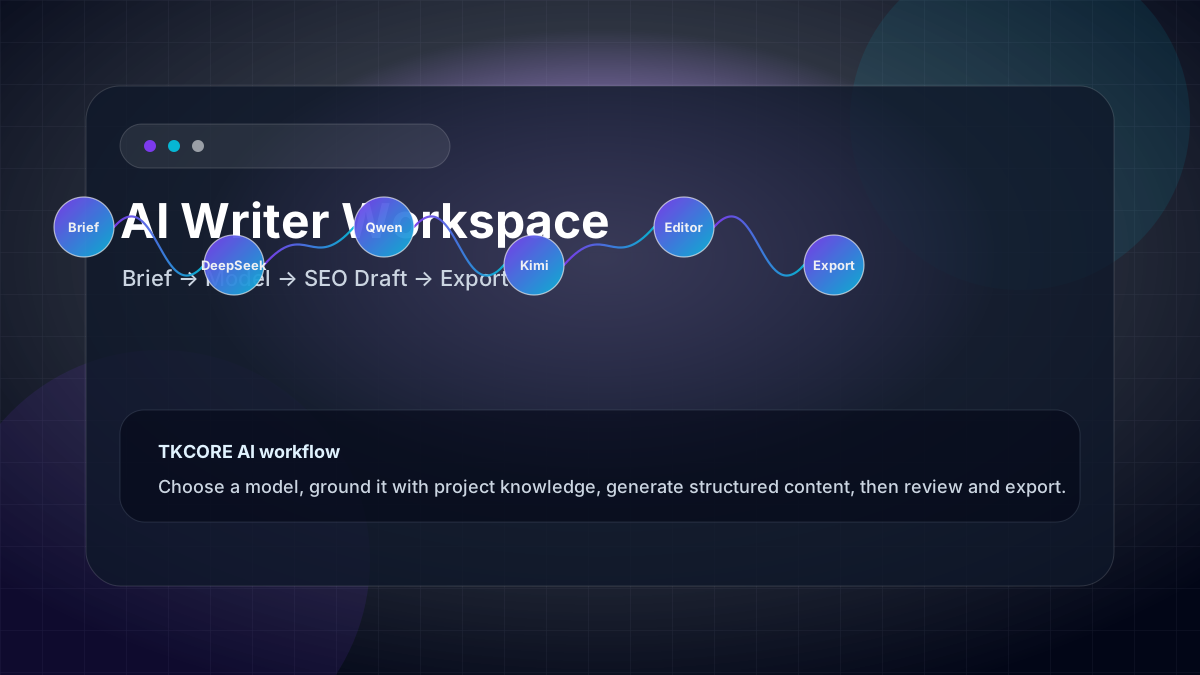
Use DeepSeek, Qwen, Kimi, GLM, MiniMax, or TKCORE models to produce publishable article, landing-page, SEO, and marketing drafts. For long-term production, pair this page with TKCORE AI project spaces and knowledge files so recurring briefs, brand rules, and source notes stay connected to the content you create.
Features
- Multi-model drafting: test the same brief across DeepSeek, Qwen, Kimi, GLM, and other supported models when tone, reasoning depth, or creative style matters.
- Task-specific structure: this page focuses the prompt around a structured written draft with a headline, sections, examples, and a clear next editing step instead of forcing you to rebuild instructions manually.
- Editable workspace: generate a first draft, refine the result, copy it, or export when your page supports document output.
- Project-ready workflow: combine the tool with knowledge files and project context for repeatable content production over weeks, campaigns, and teams.
- SEO-friendly hub: jump from this page to related tools, tutorials, and templates so search visitors can move from one intent to the next.
When to use it
- First-draft acceleration: turn a short brief into a structured written draft with a headline, sections, examples, and a clear next editing step that a human editor can improve rather than create from zero.
- Content repurposing: paste notes, transcripts, or bullet points and transform them into a cleaner format for publishing or collaboration.
- Model comparison: run the same intent through different models to compare clarity, creativity, length, and factual discipline.
- Repeatable team process: save a standard brief, reuse the template below, and link related outputs through TKCORE AI project spaces.
Problems, value, and outcomes
Why this page matters: most AI tools solve the first prompt but lose the workflow. TKCORE AI positions Paragraph Expander inside a broader content operating system: writing tools for drafts, Text to Image for visuals, AI Music for sound, Text to Speech for narration, and knowledge files for persistent context.
Best outcome: a reliable draft that is close enough for editing, clear enough for stakeholders, and structured enough to become part of a campaign, tutorial, email sequence, or creative project.
How it works
- Define the job: name the audience, format, desired length, and the final use case before you generate.
- Choose the model: use a fast model for rough drafts, a stronger reasoning model for complex structure, and a creative model when voice matters.
- Add constraints: include must-use points, forbidden claims, brand tone, SEO terms, or examples from your knowledge files.
- Review the output: check facts, edit for brand voice, remove generic phrases, and add original examples.
- Continue the workflow: create images, audio, or follow-up content from the same idea using the related TKCORE AI tools below.
Example outcome
Example workflow: a creator uses Paragraph Expander to create the first draft, then opens Text to Image for a hero visual, Text to Speech for a narration pass, and a project space to keep briefs and reference files together. The result is not just one AI answer; it is a repeatable content pipeline.
Examples
Prompt example
Write a 1,200-word SEO article for startup founders about using multi-model AI to repurpose one webinar into five content assets. Use a practical tone, add H2 sections, and include an actionable checklist.
Expected draft
A complete draft with a keyword-focused headline, introduction, H2 outline, practical examples, internal-link suggestions, and a final CTA that can be edited in the TKCORE workspace.
Reusable templates
Paragraph Expander reusable template
Write a [format] for [audience] about [topic]. Use [tone], include [key points], avoid [constraints], and end with [CTA].
Quality review checklist
Check factual claims, remove generic phrasing, add one original example, verify brand tone, and add internal links before publishing.
FAQ
- What is Paragraph Expander best used for?
- Paragraph Expander is best for creating publishable article, landing-page, SEO, and marketing drafts. It works especially well when you provide audience, tone, format, and source constraints before generating.
- Can I use different AI models on this page?
- Yes. TKCORE AI is designed as a multi-model workspace, so you can compare model behavior across DeepSeek, Qwen, Kimi, GLM, MiniMax, and other supported options depending on availability.
- How should I make the result more original?
- Add your own examples, source notes, audience details, and brand rules. For recurring content, attach knowledge files or use a project space so the AI has better context than a single prompt.
- Can this page support SEO content production?
- Yes. Use the template fields to specify search intent, target keyword, internal links, FAQs, and examples, then review the final draft for accuracy and usefulness before publishing.
- Can I change the model or language?
- Yes. Use the language and model controls in the “Language & model” section before you generate. Picking a different model can change style and cost; always review critical text before you ship it.
- Is the output final?
- Treat it as a strong draft. You should fact-check, align with your brand and legal guidelines, and edit for your voice—especially for public, medical, or legal content.
- Where can I read more about using TKCORE tools well?
- Start with the blog guides linked below and the main AI tools list. The directory groups related tools so you can graduate from short tasks to longer structured flows when needed.